|
|
| ❷ |
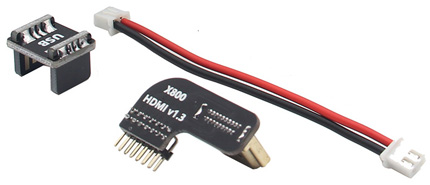
Required Accessories
(1) |
|
| |
|
|
|
❸ |
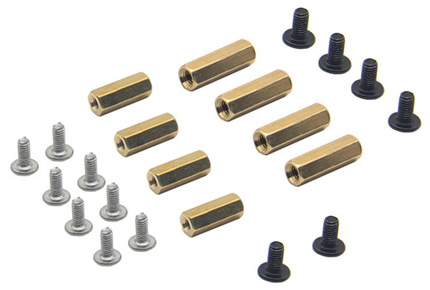
Required Accessories
(2) |
|
|
|
❹ |
Remove the yellow films |
|
 |
|
 |
| |
|
|
|
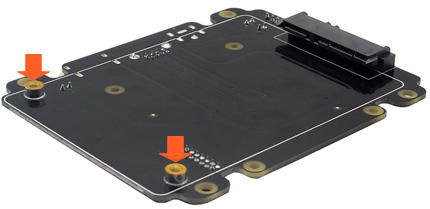
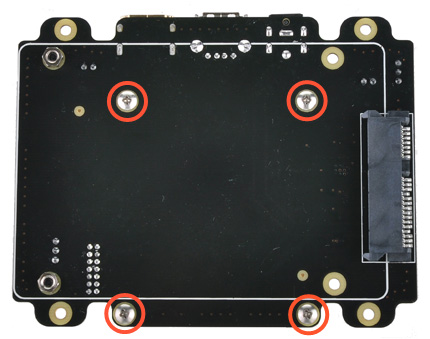
❺ |
Push a screws
(M2.5*6mm) up through
the mounting hole on the underside of the X820 and
screw the spacer (M2.5*12mm)
down until it is hand tight. |
|
|
|
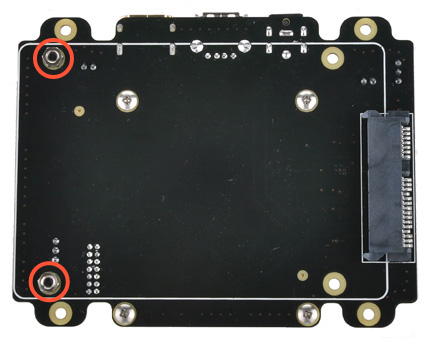
❻ |
Push a screws
(M3*7mm) up through
the mounting hole on the topside of the X820 and
screw the nut (3mm)
down but not over the nut. |
|
 |
|
 |
| |
|
|
|
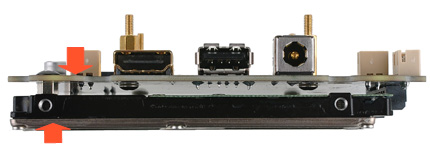
❼ |
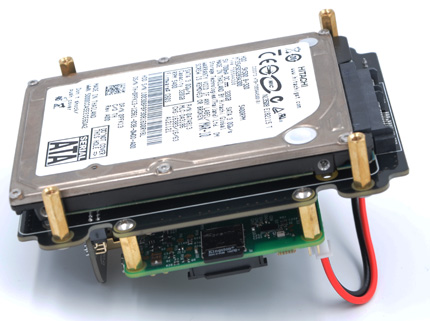
Insert your hard disk
into the SATA socket. then use your thumb
and forefinger of left hand to press the X820
and HDD as arrow pointed
hardly and screw down. |
|
|
|
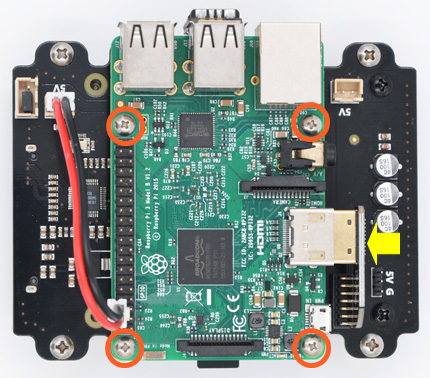
❽ |
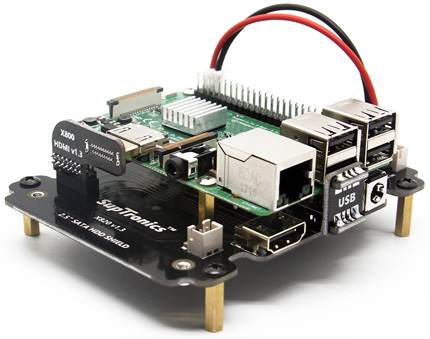
Insert the HDMI adapter
board to Raspberry Pi, Place your Raspberry Pi
on top of X820 and screw
down
(M2.5*6mm screws). |
|
|
|
 |
| |
|
|
|
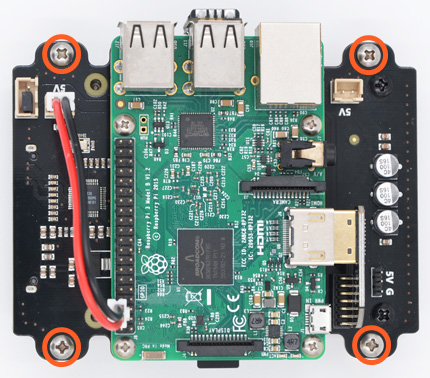
❾ |
Push a screws
(M3*6mm) up through
the mounting hole on the topside of the X820 and
screw the spacer (M3*15mm)
down until it is hand tight. |
|
|
|
 |
|
 |
| |
|
|
|
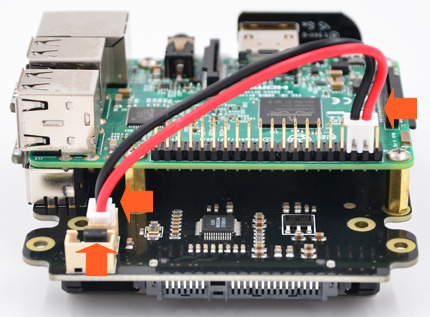
⓫ |
Connect the power cable from X820
to Raspberry Pi pin header - Pin 4 (5V,
Read wire) and Pin 6
(Ground, Black wire). |
|
|
|
 |
|
|
|
|
|
|